HiveSmartHQ - The Hive Management App for Hive Inspections and Beekeeping records
When you care for bees
 |
HiveSmartHQ |
Easy to use
Fast entry
Works anywhere
Desktop + Mobile
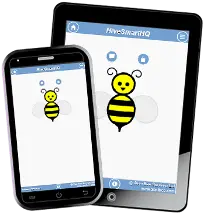
Why choose HiveSmartHQ as your Beekeeping software?
Covers inspections through to sales of Honey, Hives & related items (e.g. beeswax, propolis).
Save time. Improve productivity.
Varroa monitoring records, inspection compliance, plus honey inventory from hive to sale.
Bio-security tracing & record-keeping for honey industry compliance (NZ, Australia, Canada, UK, US+).
Helps hobbyists and professional beekeepers.
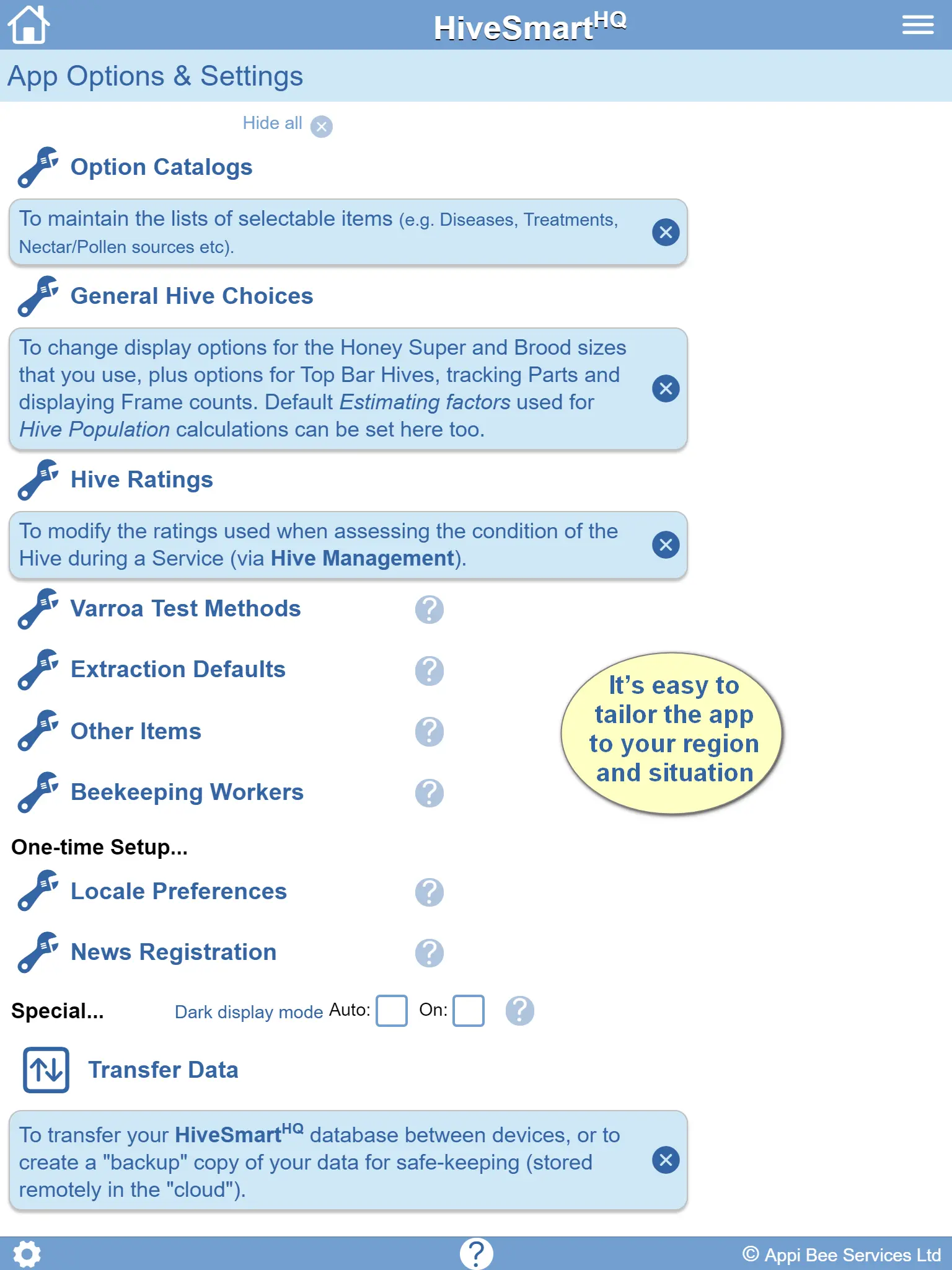
Versatile - easily tailored to suit your region and needs.
No login, email or gateway payment details required.
No subscription or data-locking. No Advertising.
See how HiveSmartHQ compares to other beekeeping software →
Just some of the feedback since 2016…
"Fantastic tool for our business."
"Saves us time and money."
"Using this has really improved our record keeping."
"Having the history for a hive on hand is so useful."
"Gives us the option to update in the field."
"Covers all the bases."
"So many useful reports."
"Tech support is prompt and thorough."
Beekeeper Support
Visit our Tips page for setup guidance, walkthrough videos, and best‑practice workflows.
Built for the bush... and the 'burbs - offline-first by design, for beekeepers who work where there's no signal.
Ready to go?
Open the web-app (in a new window) - No login, email or account required.
Open HiveSmartHQhttps://hshq.appibee.com
* Supersedes the prior app-based versions
See it in action...
The demo has sample hives, inspections, varroa records, extractions and sales already loaded.
Explore the demo(Opens in a new window)
Overview Videos
For a quick fly-through of key features: App Overview — A flyover
To see how it supports the range of beekeeping activities: App Overview — Activities
When starting out, see the videos & suggestions on our Tips page: Getting started
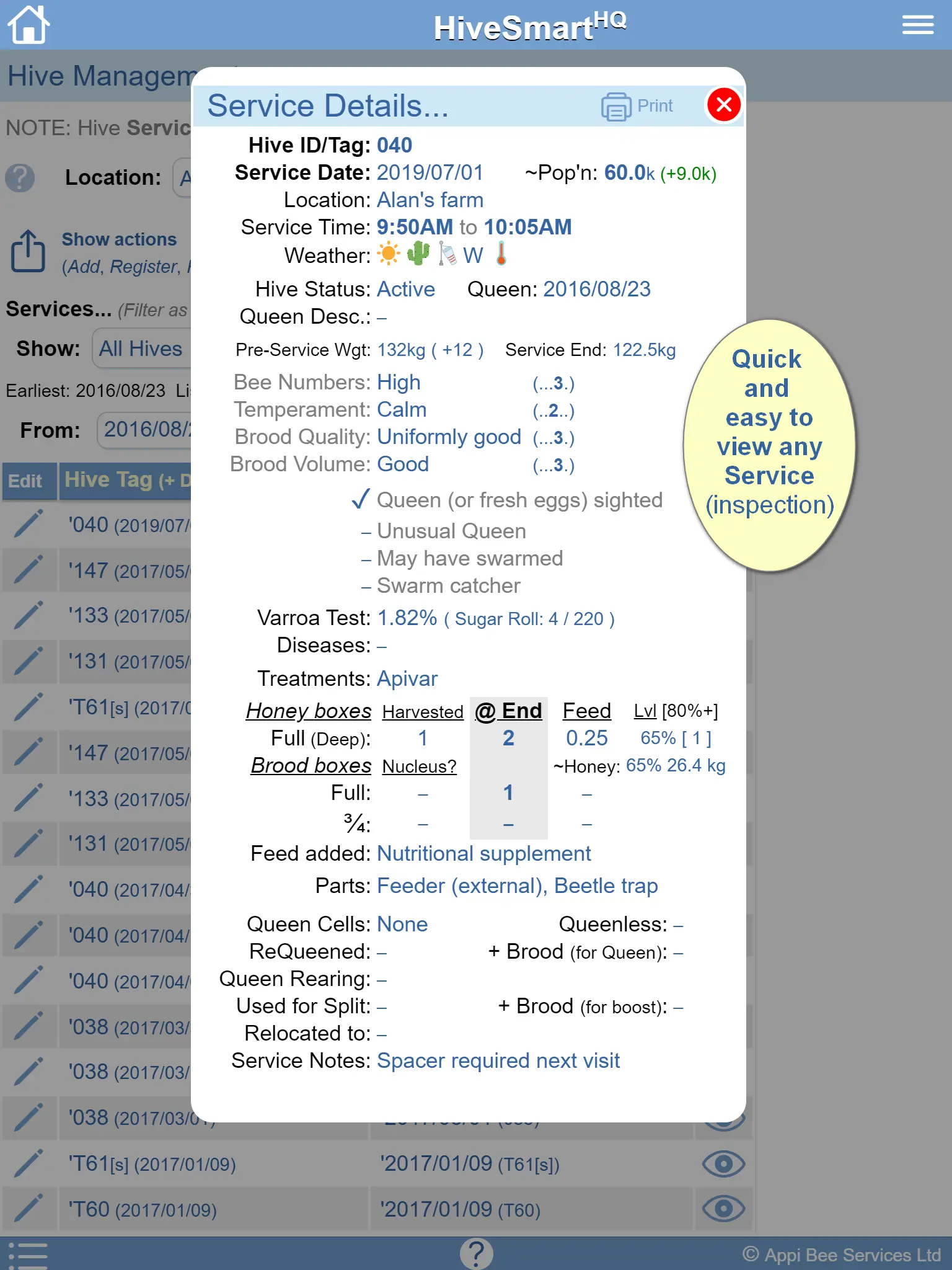
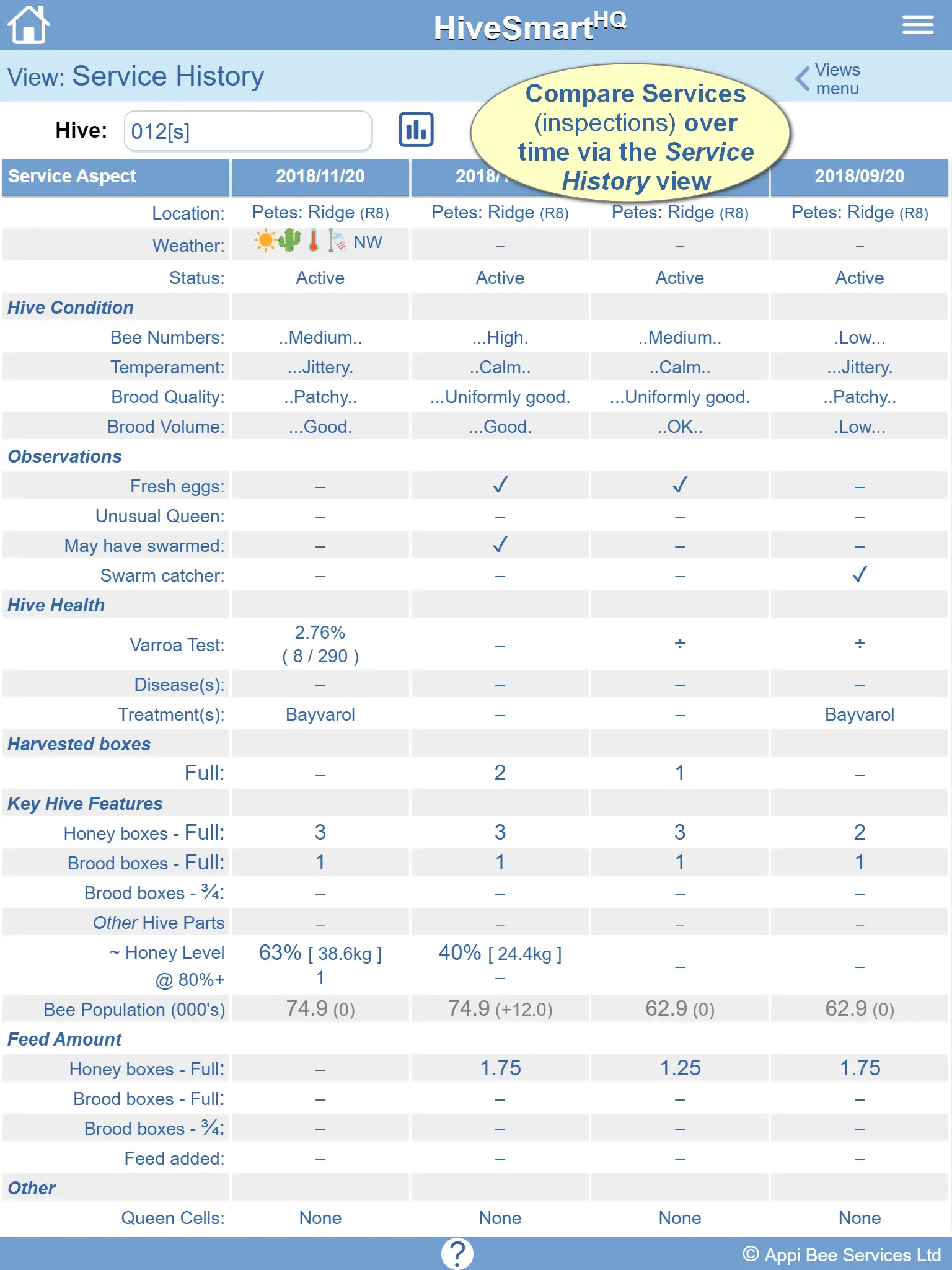
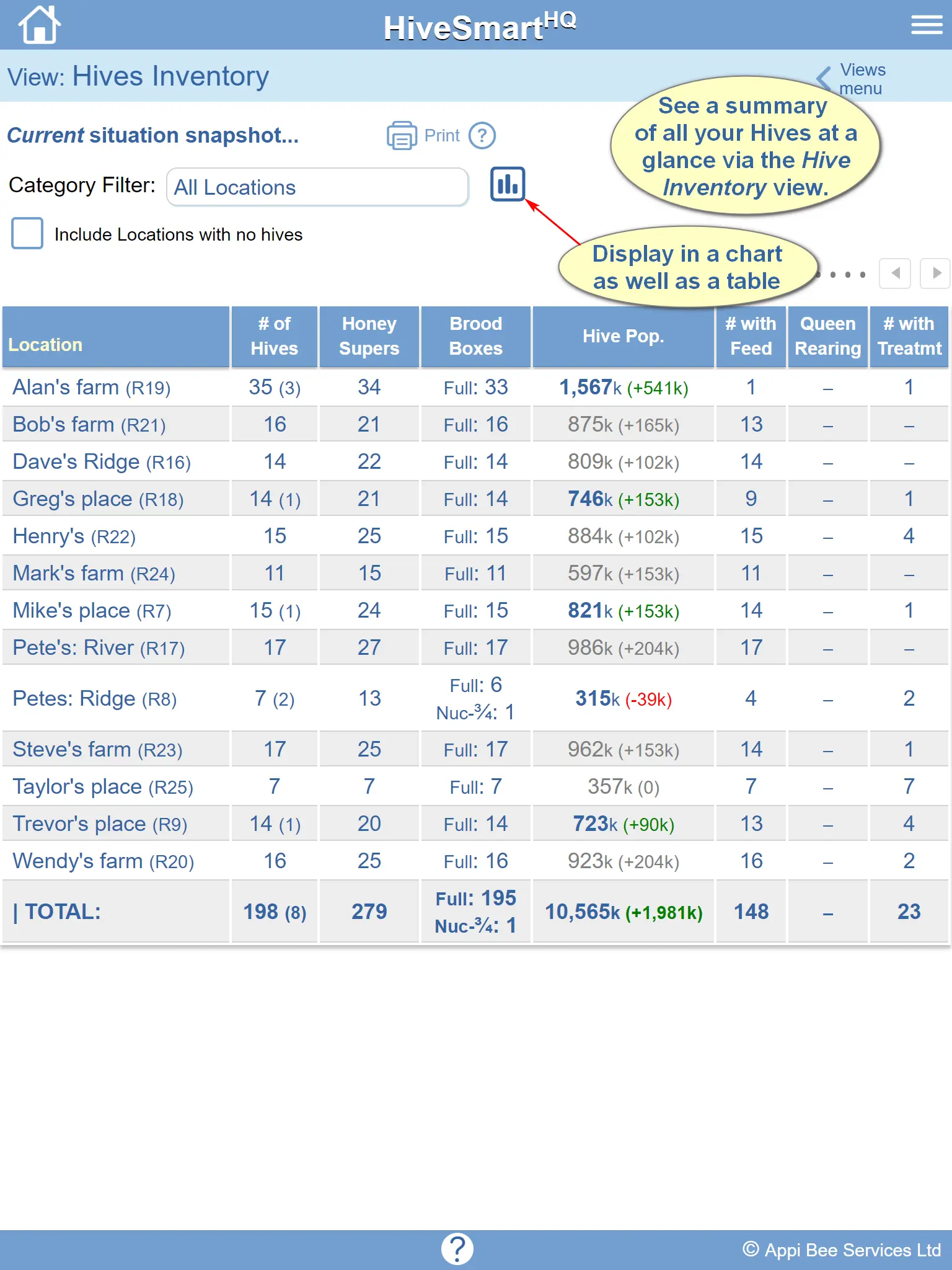
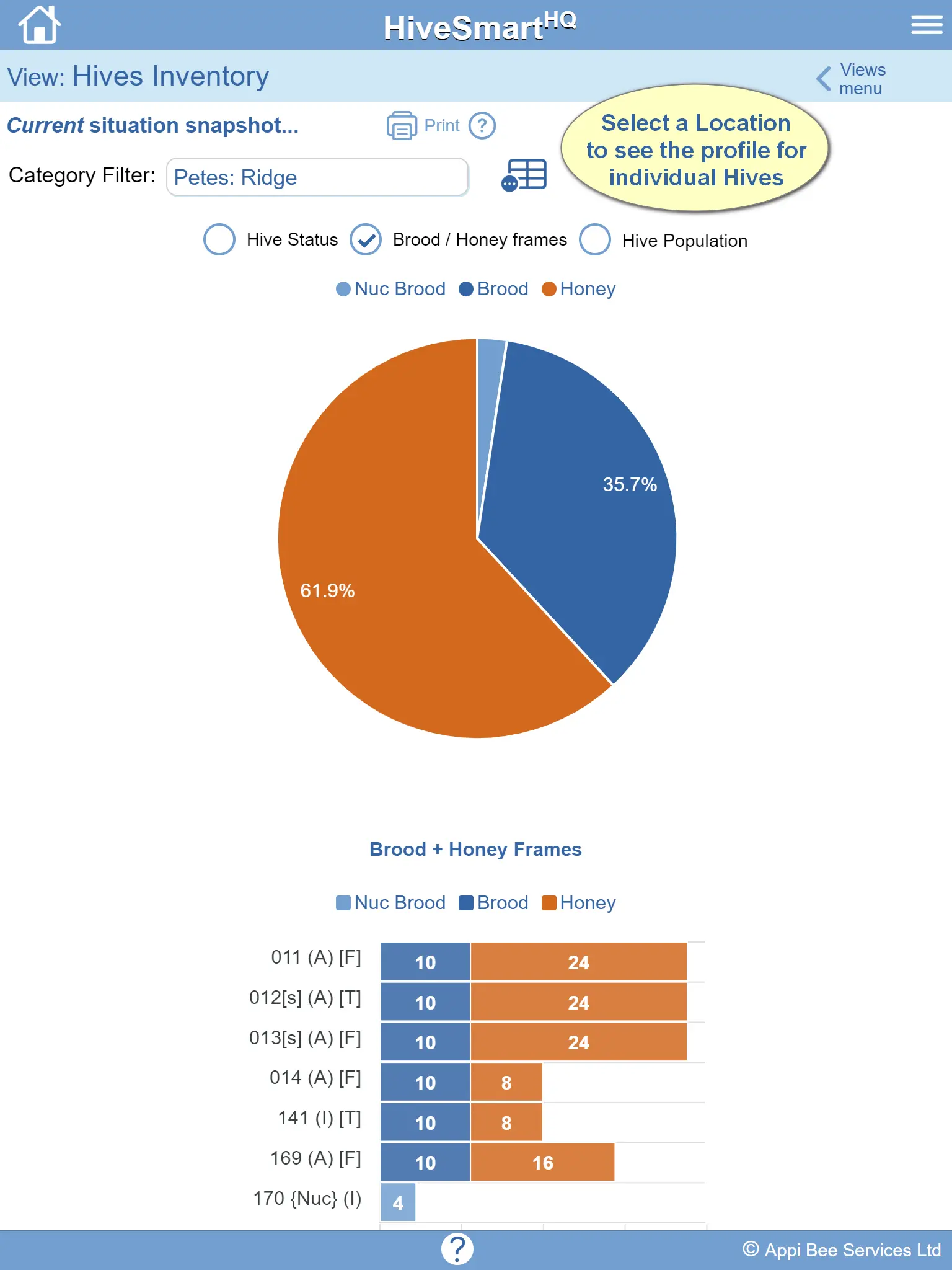
Features
Hive Inspections App Features
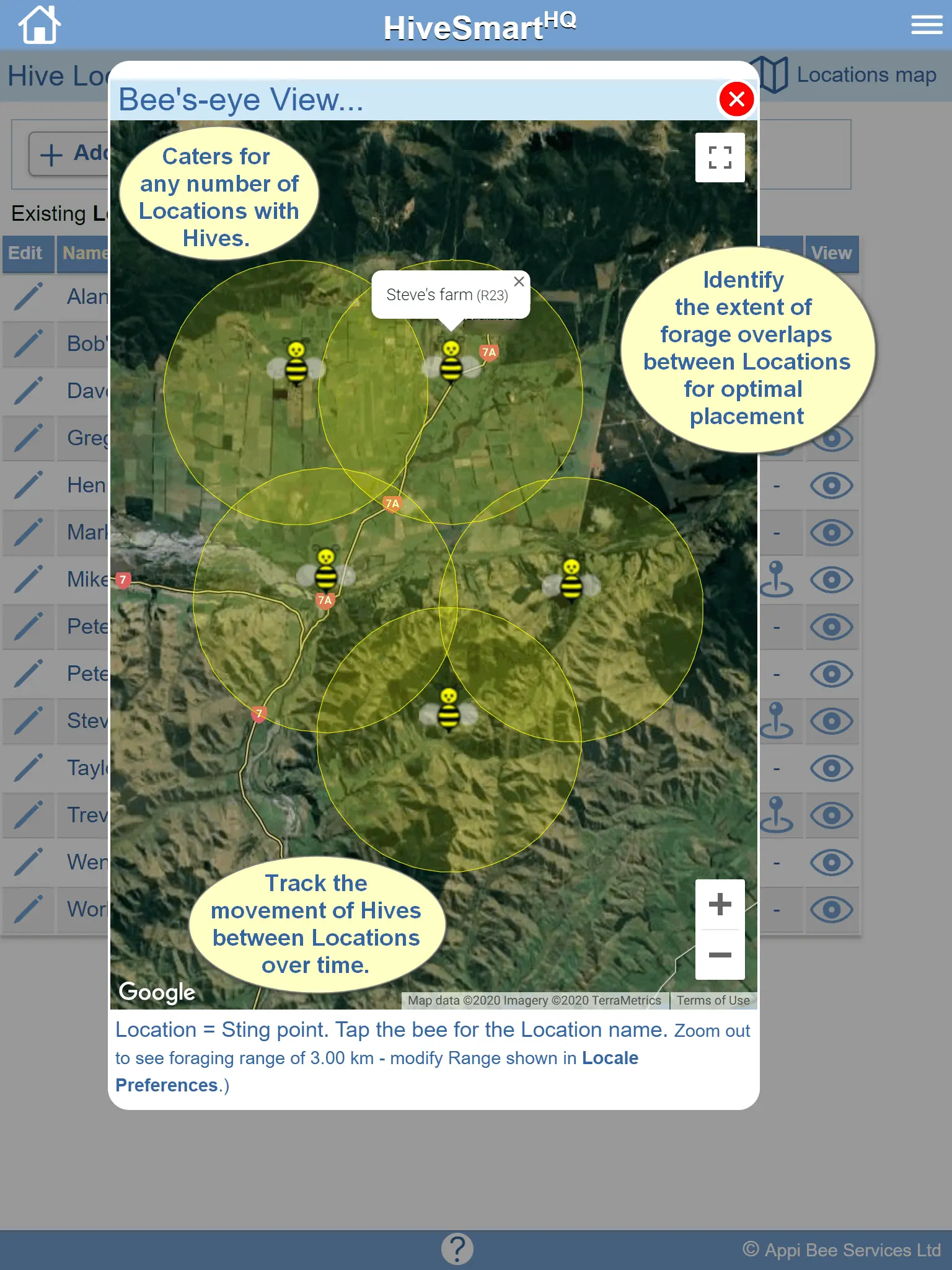
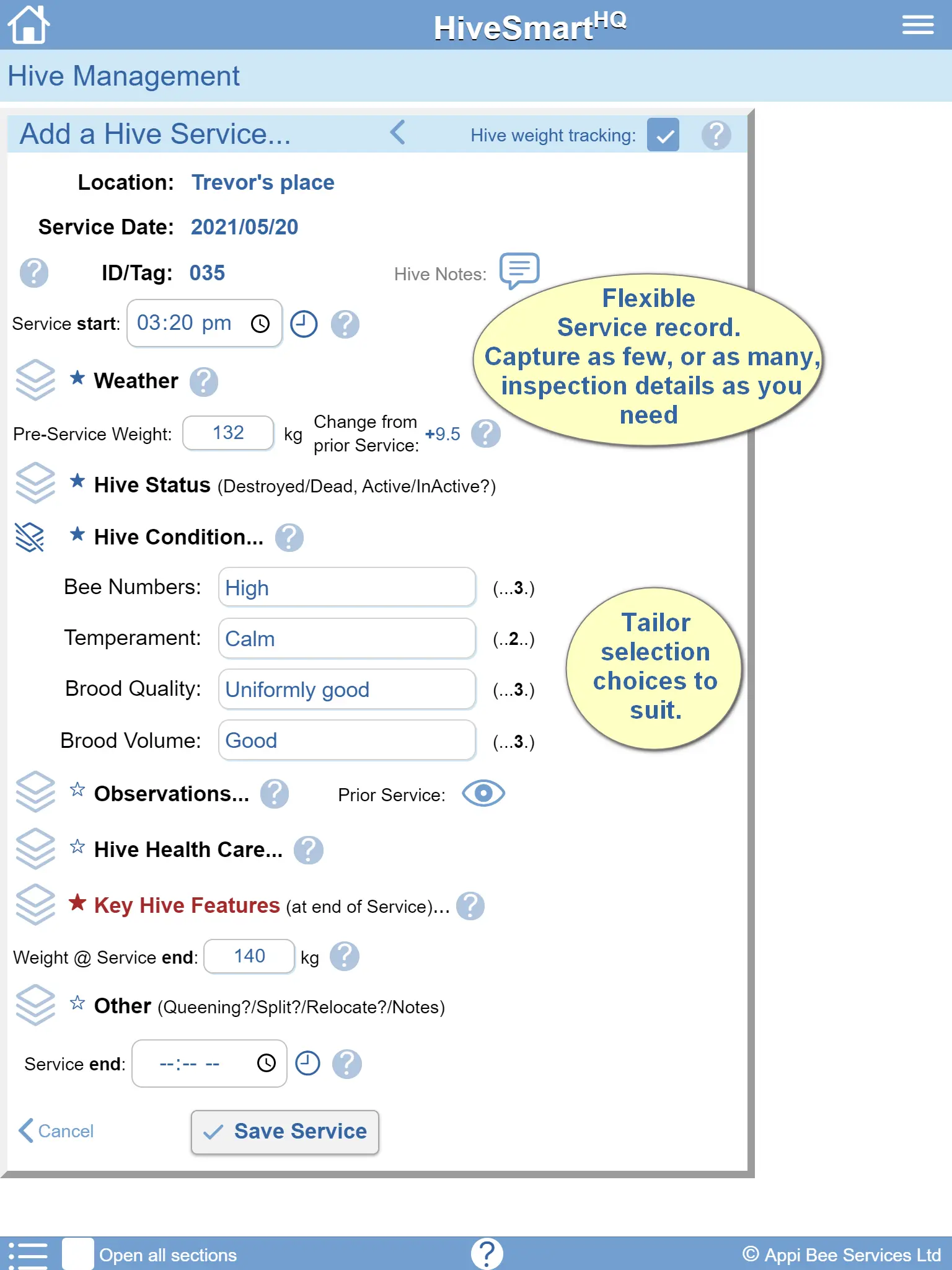
Keep digital hive inspection details capturing as much or as little as you need. Tracks the hive structure and caters for queen status, hive condition, population trends, varroa monitoring, disease treatments, hive movements, harvest tracking, and apiary observations.
- Rate the condition of the Hive
- Record the Hive structure/components
- Track the status of the Queen
- Track the Hive Population
- Use Observation flags
- Track Varroa tests performed
- Note any disease seen & treatments
- Log the honey boxes harvested
- Record Hive movements between locations
- Capture notes for specific Hives or the Apiary
- Log Collections (Propolis, Pollen, Queens, Cells, Wax etc)
Honey Extraction & Inventory
Go beyond standard yard logging with a tool designed to trace your honey harvest directly from the hive through to the sale of honey. Efficiently manage storage vessels, log moisture readings, and monitor inventory levels, creating an indispensable beekeeping tool with end-to-end traceability.
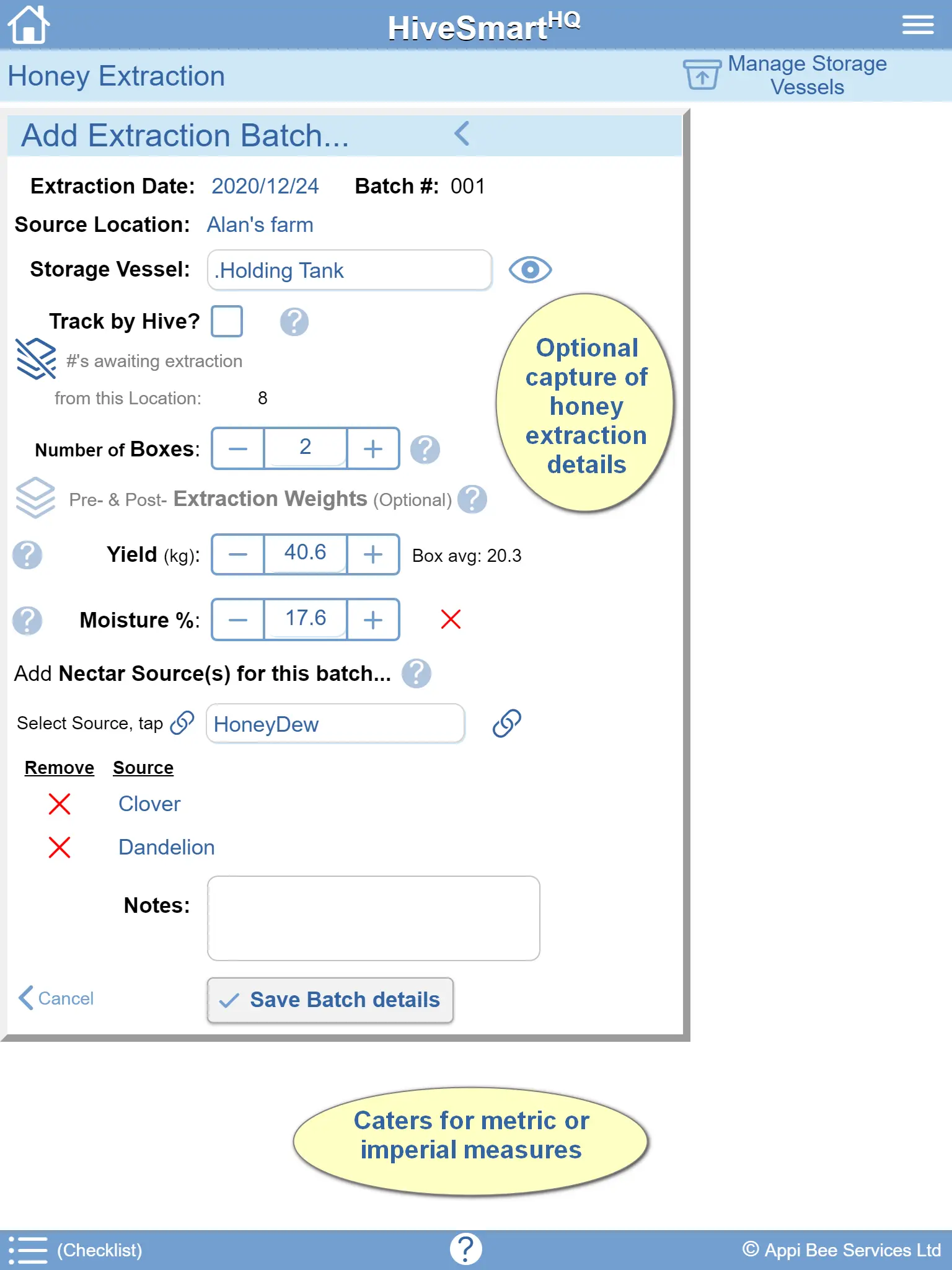
- Record Extraction batches by Location (&/or Hive)
- Track extraction progress (against harvested boxes)
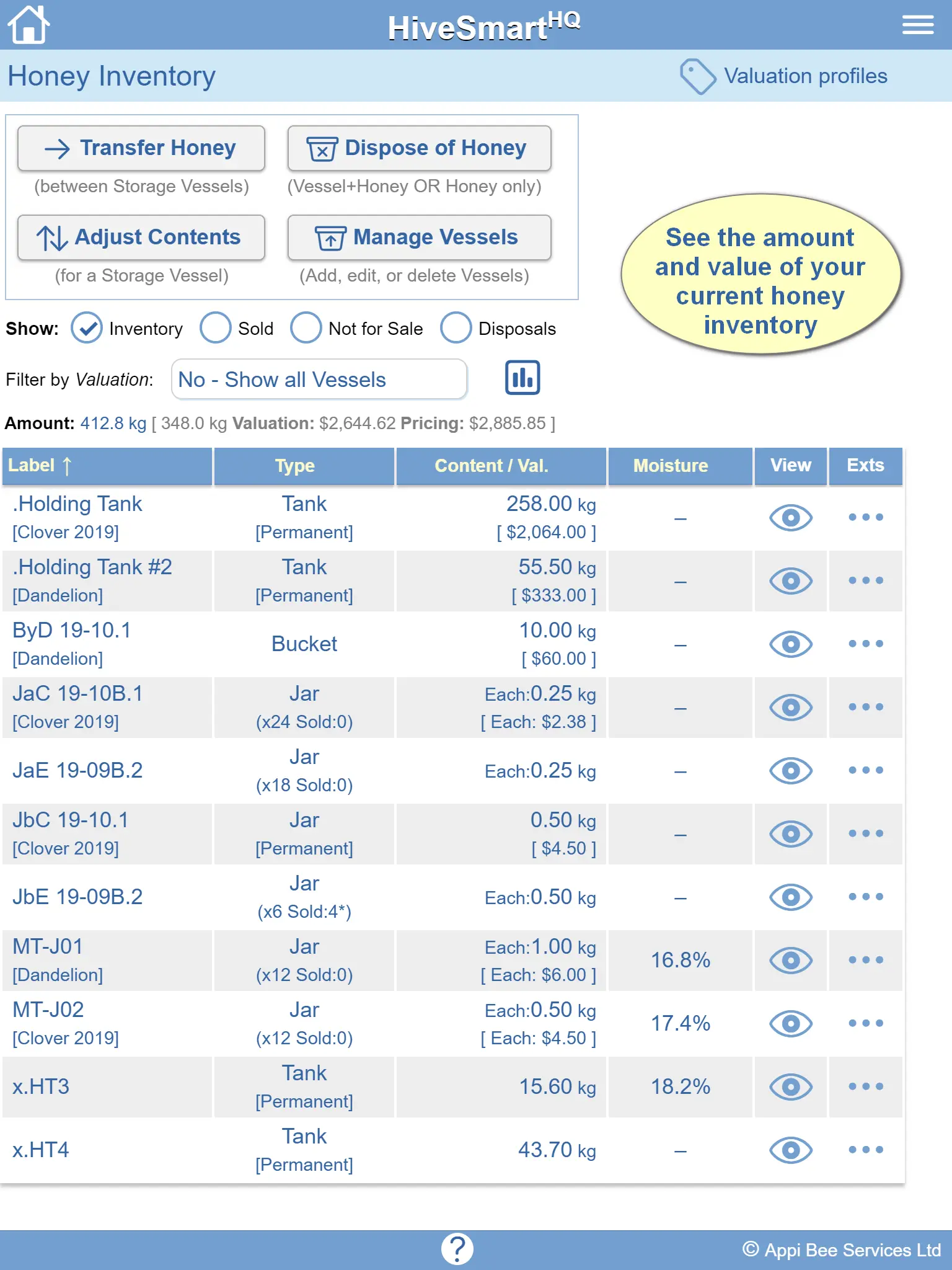
- Manage honey storage Vessels (containers)
- Record moisture readings (per Extraction & Vessel)
- Track transfers of honey between Vessels
- View the source-of-origin for honey in each Vessel
- See the current amount of honey on hand
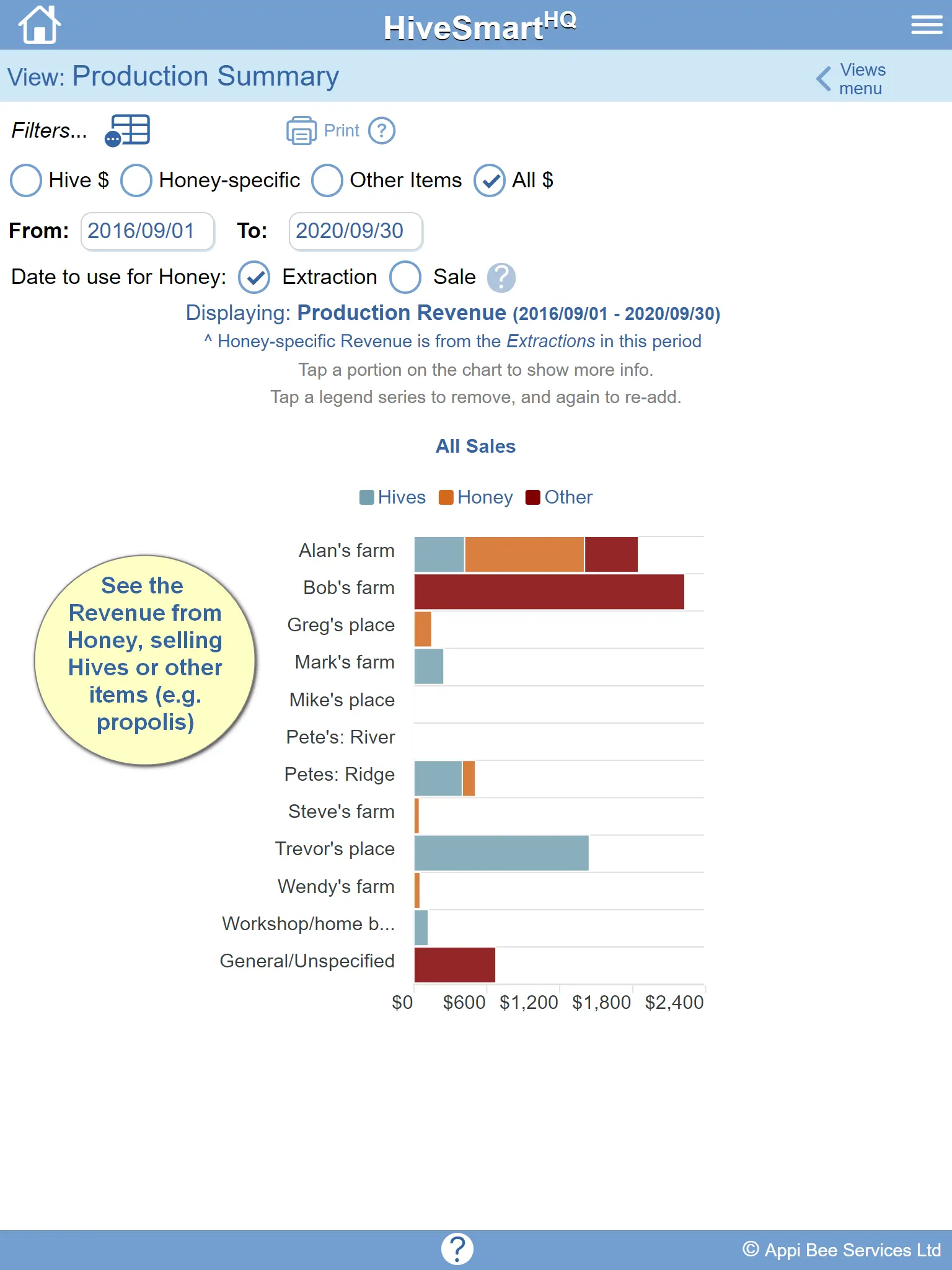
- Know the value of your sold and unsold honey
Beekeeper Views & Analytics
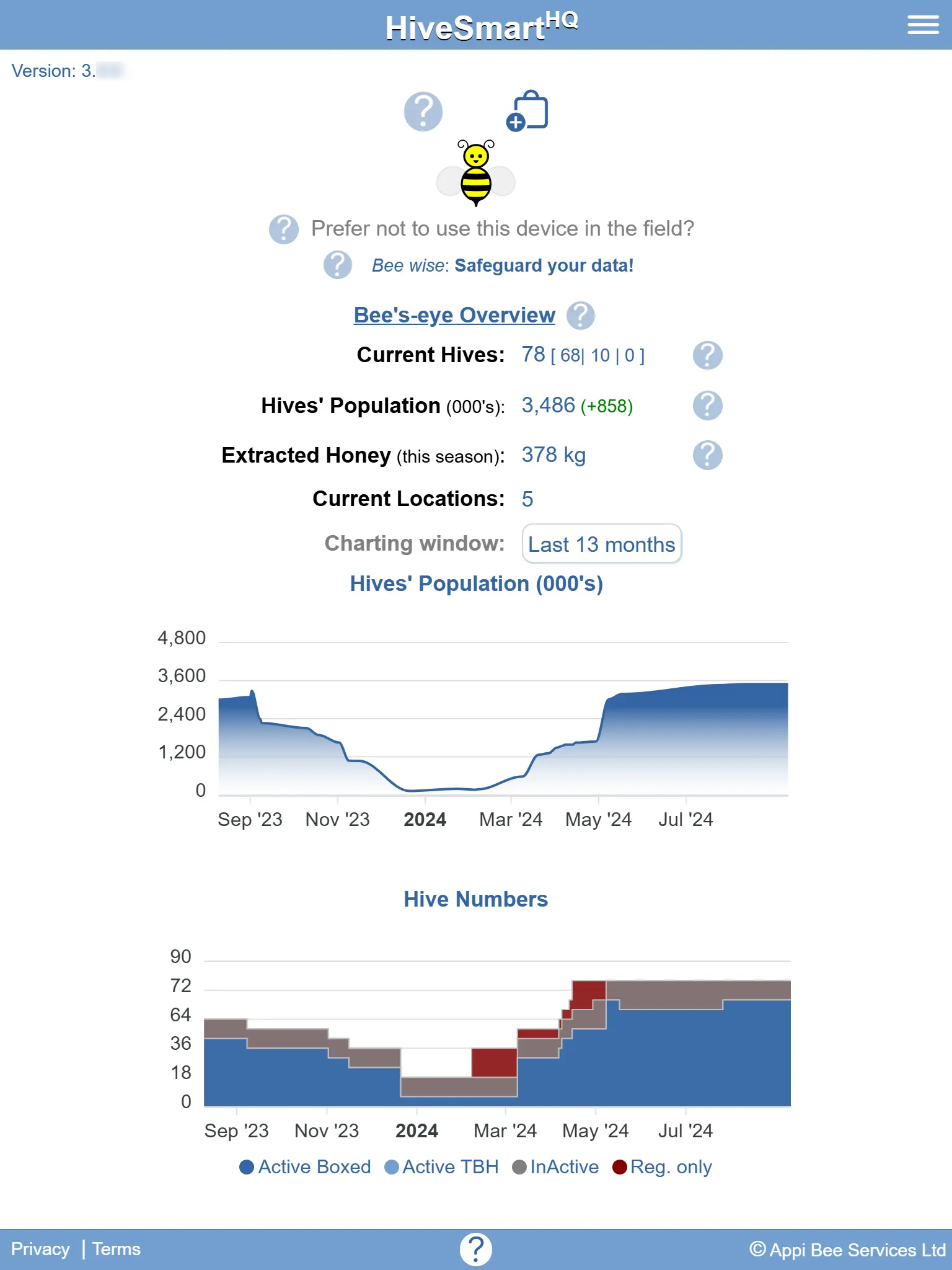
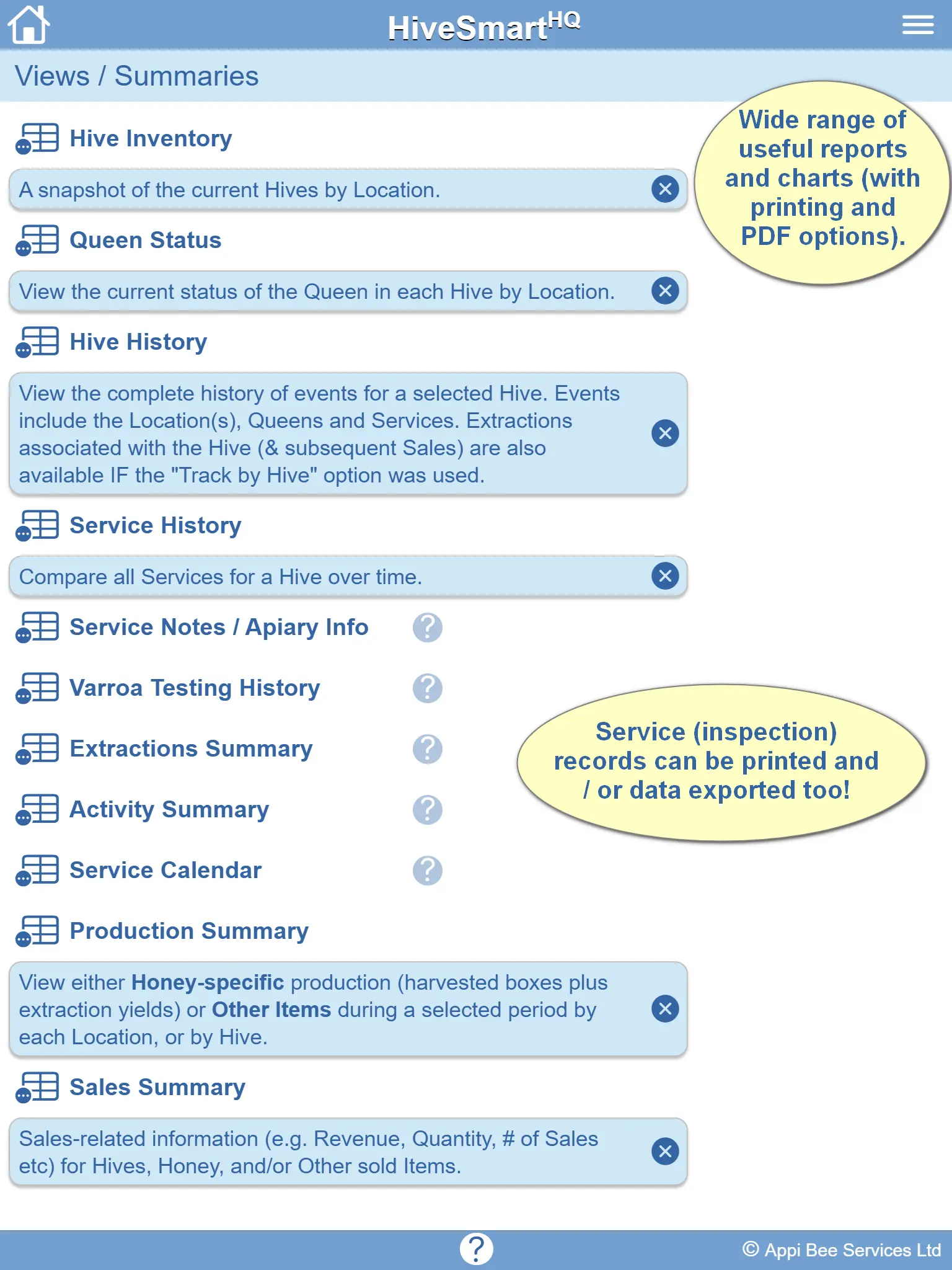
Gain instant visibility into hive performance, queen status, varroa trends, honey production, extractions, and sales through powerful summaries and historical comparisons. These insights help beekeepers identify trends, improve productivity, and make better-informed management decisions.
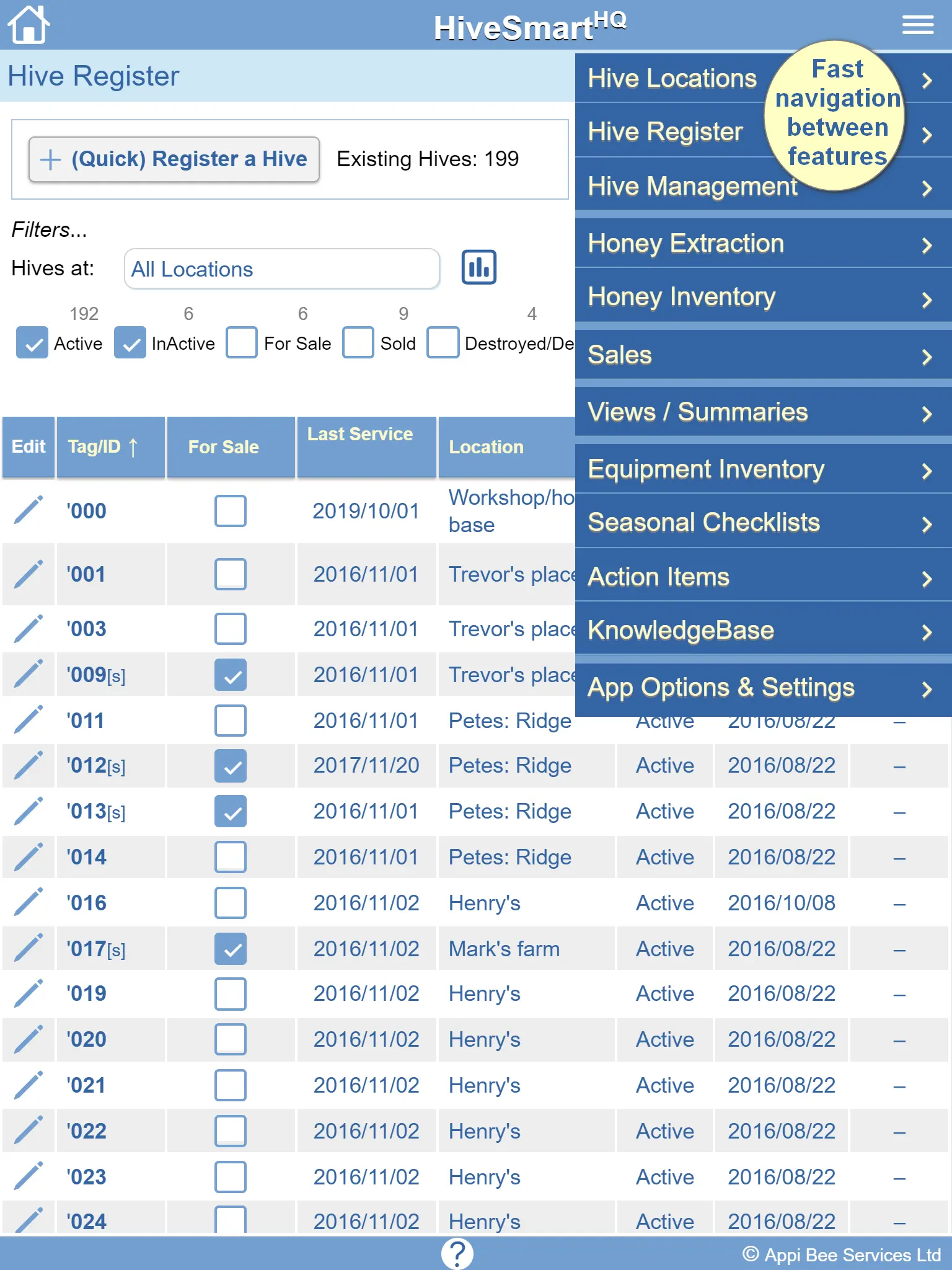
- See current Hives by Location (Hive Inventory)
- View current Queen status by Hive
- See a Hive's complete history
- Compare inspections for a Hive over time
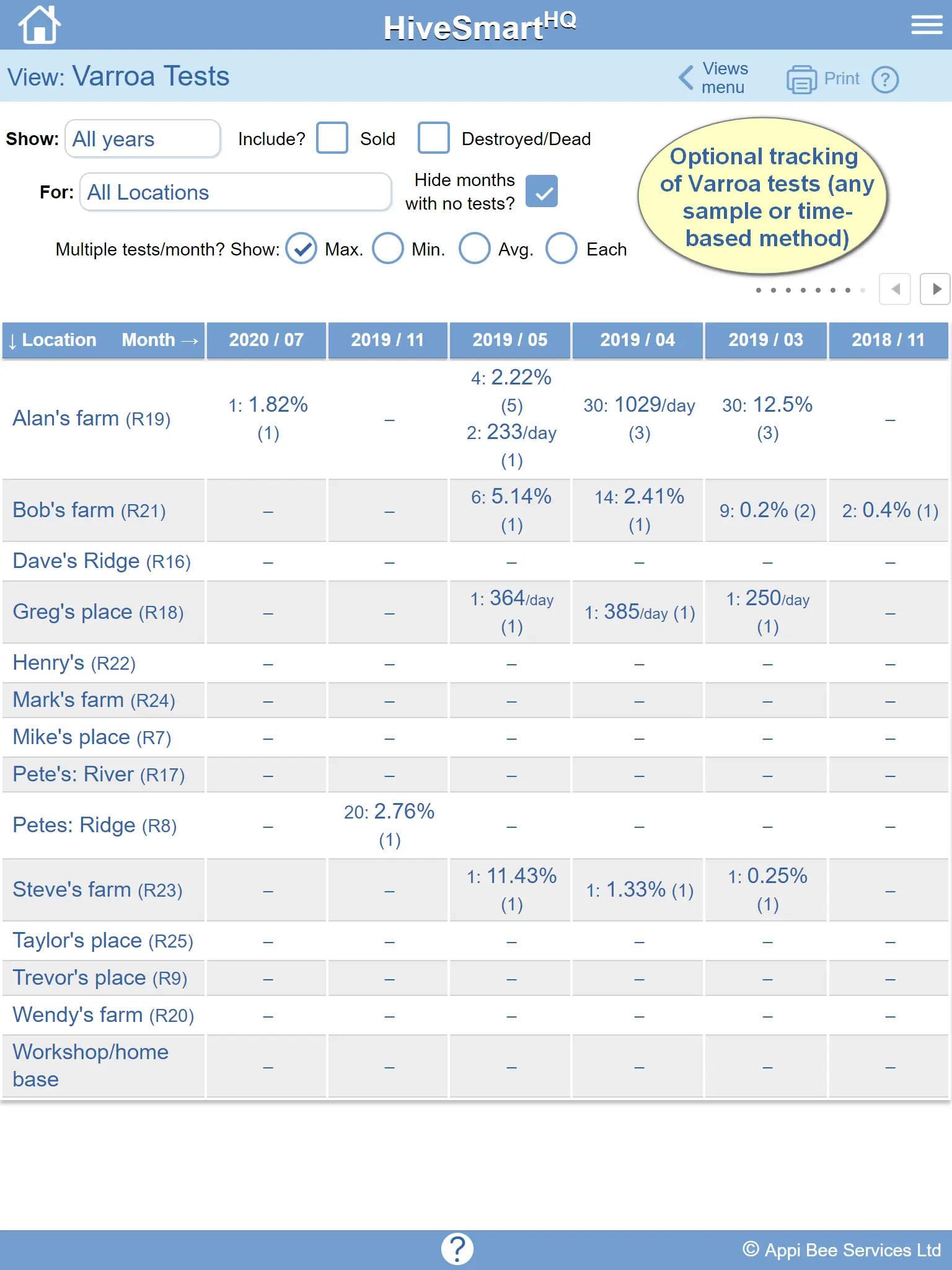
- Compare Varroa tests over time by Hive & Location
- Compare Extractions by Location & Moisture readings
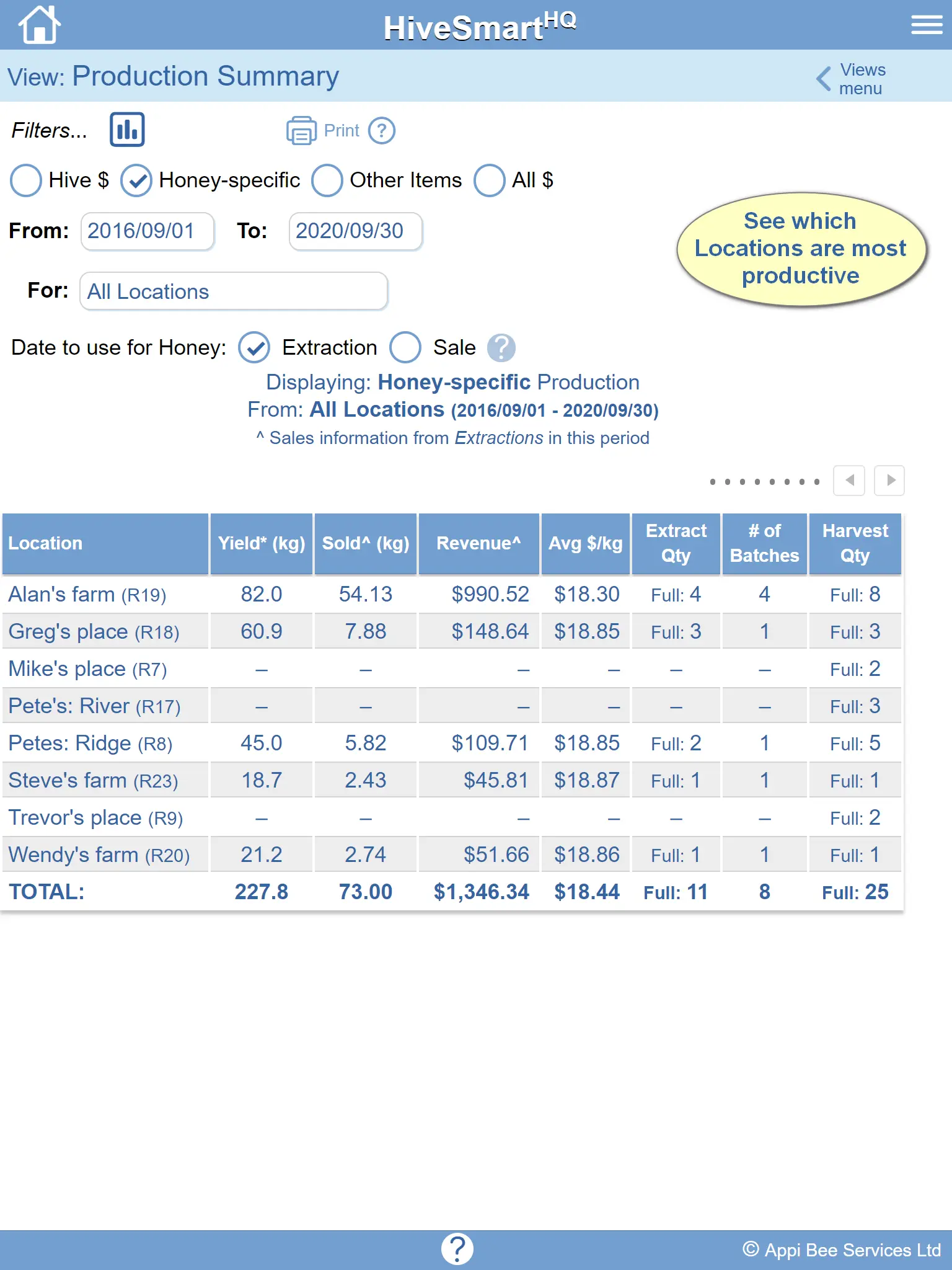
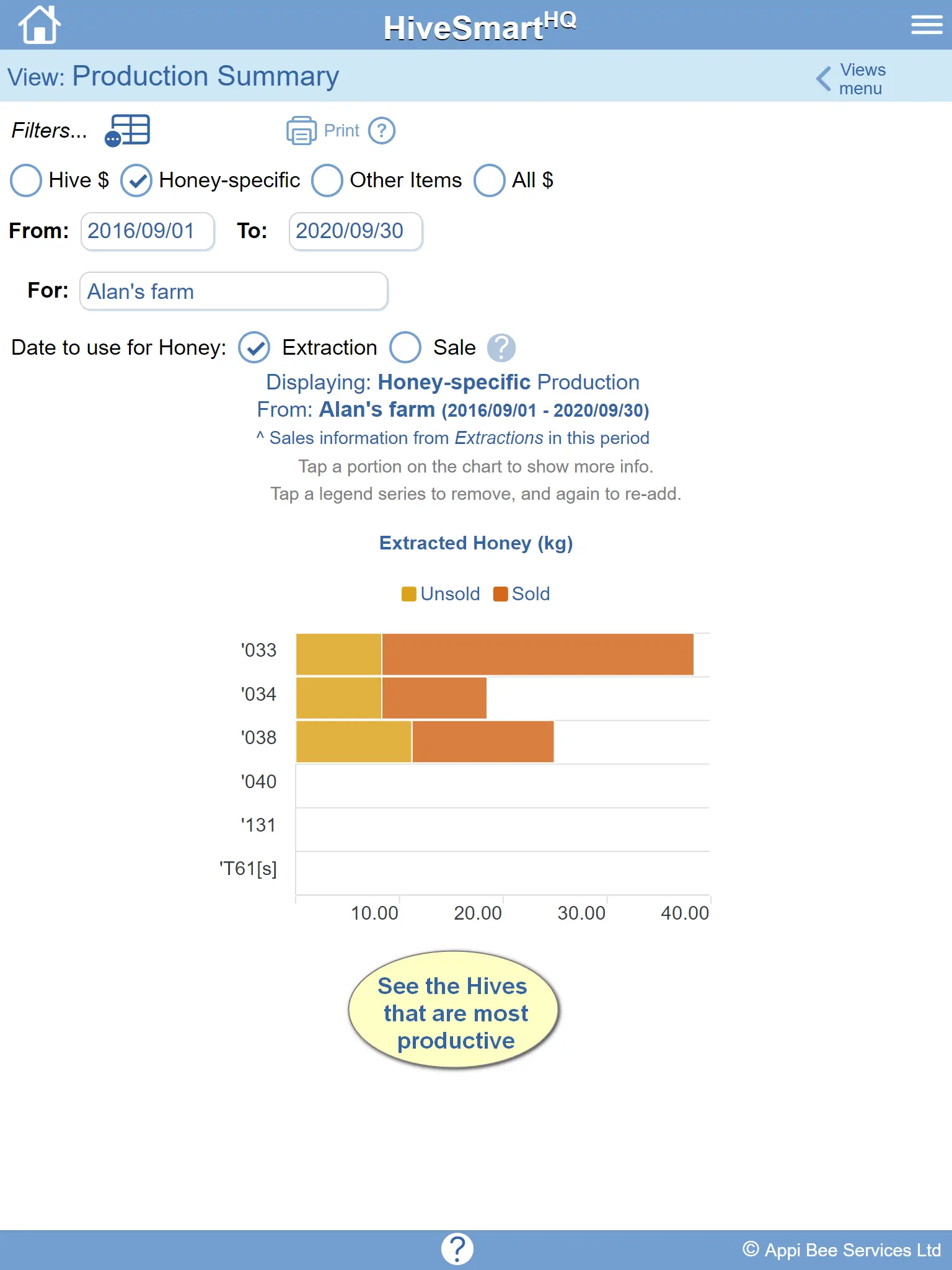
- View Production by Location or Hive
- View the calendar of Honey, Hive & Other Sales
Adaptable
Customize the tool to match your beekeeping methods, equipment, hive types, regional requirements, and measurement preferences. Flexible configuration options allow hobbyist and commercial beekeepers to tailor the system to their unique operation.
- Select how you rate Hive condition
- Tailor Observation flags to your needs
- Choose the Honey Box sizes you use
- Modify selection choices to suit your region
- Tailor Varroa testing methods
- Supports a mix of boxed and Top Bar Hives
- Choose metric or imperial measurements
Other Tools
Beyond hive management, HiveSmartHQ includes equipment inventory management, action tracking, seasonal checklists, knowledge management, cloud data protection, and device-to-device data transfer. These integrated tools help streamline day-to-day beekeeping operations and improve record-keeping efficiency.
- Manage your Equipment Inventory (In Use & In Stock)
- Log things to do — Action items
- Develop a KnowledgeBase about your Apiary
- Create Seasonal Checklists for efficiency
- Safeguard your data in the cloud
- Transfer your data to another device
- Context-sensitive help & tips throughout
Industry Compliance
HiveSmartHQ helps beekeepers maintain the inspection, treatment, movement, harvest and inventory records that support regulatory and industry compliance requirements.
Record keeping, traceability and audit-ready reporting make it easier to meet beekeeping obligations across New Zealand, Australia, the United States, Canada, the United Kingdom, Europe and beyond.
Frequently Asked Questions
(Tap a question for the answer.)
Who is HiveSmartHQ for?
It's ideal for solo beekeepers running several hundred hives or hobbyists with just a handful. It can also support larger commercial operations (see FAQ below).
We appreciate that folks keep bees for different reasons and there's a variety of different philosophies and approaches.
HiveSmartHQ is a versatile beehive management app that supports end-to-end business processes from maintaining hives through to the sale of honey and/or hives.
How does HiveSmartHQ help with beekeeping?
In short, it helps beekeepers save time and improve the productivity of their hives.
It turns the data collected from inspections, testing, treatment, harvest and extraction into the information needed to help you look after your bees.
Does HiveSmartHQ support beekeeping compliance & regulations?
Absolutely. HiveSmartHQ is designed to help beekeepers efficiently maintain the range of records that are required for regulatory and industry compliance. Comprehensive record keeping, traceability and audit-ready reporting/views make it easier to meet beekeeping obligations across New Zealand, Australia, the United States, Canada, the United Kingdom, Europe and beyond.
Does HiveSmartHQ support varroa monitoring?
Yes. Simply add the results of varroa tests performed and HiveSmartHQ automatically trends results over time, providing alerts when thresholds are exceeded to support timely treatment/management decisions.
Easily compare test results for hives in a location and across locations too. All forms of varroa testing are supported (e.g. alcohol wash, sugar shake, sticky board) and alerting thresholds can be modifed to fit with your varroa management approach.
Can I tell Customers exactly where the honey in a container came from?
Absolutely! HiveSmartHQ supports full traceability of honey back to the Location(s) [and optionally Hive(s)] that it came from.
It records extraction batches by location and optionally by individual hive, tracks honey amounts in storage vessels with moisture readings, records vessel-to-vessel transfers, and shows the source-of-origin of the honey in every vessel.
Can I see which of my Locations and Hives are most productive and/or earn the most Revenue?
Yep! HiveSmartHQ automatically keep track of honey harvest by Hive and the related Location. Extraction yeilds are recorded automatically by Location (and optionally by Hive) along with Collections of other items such as Pollen, Propolis, Wax, Queen Cells etc.
If Sales of Honey, Hives and or those other Items are recorded, it automatically tracks the Revenue back to the source Location (and Hive if desired).
Can I manage my bees from my phone?
Yes! HiveSmartHQ is designed for mobile beekeeping management - whether it's capturing data in field and/or reviewing information about Hives, Locations anywhere.
It operates on smartphones and tablets such as iPhones, iPads as well as Android phones and tablets.
It's even designed to operate in more remote locations where there's no internet access!
For those who prefer not to actively update the device in the field, use the Service(/inspection) form while in the field (available here on our Tips page ) and update your device later.
There's also an audio checklist available there too if you prefer to make voice recordings while doing inspections - then update HiveSmartHQ later from that.
Can I use HiveSmartHQ on a computer?
Absolutely! HiveSmartHQ only needs a web-browser so all features are available regardless of whether it's a computer or a mobile device.
Browsers we've used on a desktop or laptop include Safari, Chrome, Edge, Firefox, Opera and Brave (with the default Privacy settings and JavaScript enabled).
Can I access my HiveSmartHQ data on more than one device?
Yep, you sure can. On the device you last updated HiveSmartHQ, use Transfer Data > Upload dataset (via App Options & Settings) to copy your latest data to the cloud. Then on another device open HiveSmartHQ and use Transfer Data > Download dataset to load it.
We strongly recommend uploading your dataset daily after changes as this safeguards your data too.
Where can HiveSmartHQ be used?
Anywhere! HiveSmartHQ is designed for on-site use. It works even in very remote locations with no phone/data coverage or wifi (data is kept on your device rather than requiring a constant internet connection).
For those who prefer not to use their device in the field — use our forms while in the field and update your device later. Service and Extraction forms are available here on our Tips page.
Is HiveSmartHQ easy to learn and use?
It's extemely user-friendly with lots of help and tips for beginners and experienced beekeepers alike.
It's really fast and easy to load Hives, add Locations, record inspections and more... at whatever level of detail you need.
The reporting features for managing your bees are fast, easy and flexible, whether it's for a couple of hives through to hundreds across multiple locations.
Why is HiveSmartHQ a website rather than an app?
It's about making HiveSmartHQ more easily accessible (on a desktop or laptop as well as mobile devices - no download needed) and economics.
Our goal continues to be to provide an affordable hive management software and record-keeping tool for hobbyists and commercial beekeepers alike.
Maintaining a website is simpler and faster. The resources and costs associated with building and maintaining apps on iOS and Android continue to increase.
You've also got the option to "install" it as a web-app on your device so that it acts just like any app from an app-store.
Why does HiveSmartHQ request permission to access certain device features?
Enhanced security in more current browser versions means permission is requested to be able to use certain device features. We use these ethically and with full transparency.
| Permission | How this is used |
| IP Address | Terms of use: Momentary use to confirm the location when agreeing to the Terms & Conditions. (IP address is not stored.) |
| Location access | Hive Locations: Momentary use if choosing to map a Hive Location (Optional). |
| Internet access | Various: Hive Locations, Transfer Data, Top-up Service Credits. All features are optional. |
| Notifications | Reminders: Actions and Seasonal Checklists can set reminders (Optional). |
| Compass | Services & Apiary Notes: Optional use of a mobile device's compass to obtain Wind Direction. |
How do I protect data entered into HiveSmartHQ?
It's easy to safeguard your data - use the Transfer Data > Upload dataset feature (via App Options & Settings). We recommend doing this each day if you've added or updated any data.
Note: This is a really wise move in case you lose your device/computer, it's stolen, it breaks or the browser cache is cleared. The upload means your data stays safe and can be reloaded (using the Download dataset feature).
Can HiveSmartHQ be used in a large commercial operation?
Yes. There are currently two approaches:
- Recommended: Use a single (central) device to capture operation-wide data using printed Forms (from the Tips page) to capture on-site information.
- Alternatively, assign a device for a specific location (or group of locations) for inspection data (via Hive Management) and a separate device for Honey Extraction, Inventory & Sales.
And if you're employed as a beekeeper in a team, you can use it for just the Hives and Locations that you look after.
How much does HiveSmartHQ cost?
It requires a whole lot of nothing to get going…
HiveSmartHQ doesn't require an account, login or payment details to start and comes with 100 Service credits = 100 inspection records. Add as many Locations and Hives as you wish. After the first Service/inspection for a Hive, each subsequent one consumes 1 Service credit.
The initial 100 credits represents about a year's worth of inspections for 5 Hives. Just maintain the Service credit balance above 0 to keep adding services/inspections.
Various-sized bundles (30, 60, 100, 500, or 1,000 credits), at less than $0.10 per Service (inclusive of sales tax), can be purchased from within the web application with no expiry on the credits. While no inspections can be added if the Service Credit balance reaches 0, all other features continue to be accessible.
Even better, there's also no advertising or marketing sign-up involved.
Why is HiveSmartHQ a subscription-free alternative to other beekeeping software?
Most beehive management software platforms lock your data or many features behind monthly subscriptions, and your records can be lost if the subscription lapses. Furthermore, subscriptions are not driven by actual hive numbers meaning you're likely subsidising someone with significantly more hives.
We believe our usage-based approach using Service credits is much fairer - at less than $0.10/inspection beyond the first 100 (free) inspections.
Commonly-used subscriptions also stay the same regardless of the season. With HiveSmartHQ, you only pay for what you actually use, making it a highly cost-effective hive management tool that respects your budget.
With no subscription involved, you'll always retain full access to your own data.
Does HiveSmartHQ require any personal information?
None. No "stings" attached: it's obligation free — HiveSmartHQ does not require any personally identifiable information, nor does it access any of your personal info on your device.
Please view our Terms and Privacy Policy for more details.
Is the data entered into HiveSmartHQ shared with anyone?
Nope. While we do use a 3rd-party cloud-storage service to safely store your data if you choose to use the Transfer Data feature, the data is yours and is not shared with, or provided to, any third party.
You can also choose to permanently destroy your data in the cloud whenever you wish.
Please view our Privacy Policy for more details.
Is there a limit on the number of Apiaries, Hives or Services/Inspections in HiveSmartHQ?
If you've got more than 10,000 Locations (apiaries) then yes — we're so sorry! If you've got more than a million Hives, apologies again. On the other hand, the number of Services (inspections) is completely unlimited.
Why is the term Hive "Service" rather than "Inspection" used?
We just appreciate that beekeepers do more than just observe when they're looking after their Hives. A "Service" better reflects all of the tasks and effort involved in taking care of your bees.
How do I keep up-to-date with HiveSmartHQ news?
We know folk are inundated with notifications and emails which can be annoying. We've deliberately chosen not to bombard our users with notifications or messages. However, we do occasionally provide updates so here's the options to access those:
- Follow our Facebook page (@HiveSmartHQ)
- Check our Tips page for the Latest News
- Register your email address via News Registration in App Options & Settings
- Contact us via the Support section below
This all seems really reasonable but what's the catch?
None that we know of. Beekeeping is a tough gig and in looking after the little guys, you're helping the planet and to feed humanity. With the first 100+ inspections free and just $0.10 each thereafter, it's simply a cost-effective hive management app that doesn't require any personal information, has no advertising or marketing and the data belongs to you. Some things in life are just designed to be good and fair.
Ready to see it in action?
The demo has sample hives, inspections, varroa records, extractions and sales already loaded.
Explore the demoHiveSmartHQ Support
Have a Question, Suggestion, Issue or Feedback for us?
Wish to register your email for news specific to HiveSmartHQ?
Fill out the form below and submit.
Alternatively, contact us via…
- Chat (Online daily: NZST 8am–10pm. Offline: Leave message.)
- Our Facebook page (tap to open)
- Yes (supplied via email or Chat to counter spam/scam calls)
Open HiveSmartHQ
Tap (or enter) the link: https://hshq.appibee.com (Opens in a new window)
No login required. Subscription-free. Obligation-free. No Advertising.
New Zealand-made and quietly supporting beekeepers worldwide since 2016.